
Asset disposal refers to the process of removing an asset from your company’s accounting records. This typically happens when an asset reaches the end of its useful life, is no longer needed, or is sold, donated, or lost. Proper asset disposal is crucial for maintaining accurate and up-to-date financial records, especially for capital assets that are essential for your business operations. CASM’s disposal process streamlines recording asset disposals and tracking who received them. This ensures you maintain proper documentation and financial records for reporting and audit purposes.
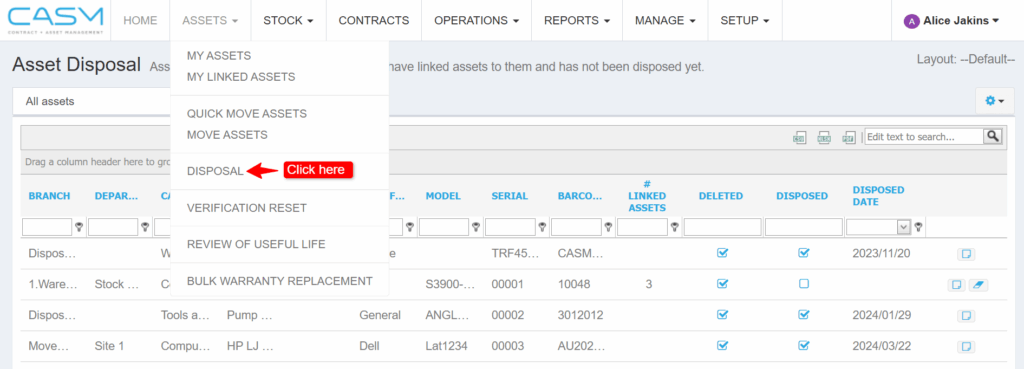
Navigate to Disposal: Go to the ASSETS menu and select DISPOSAL.
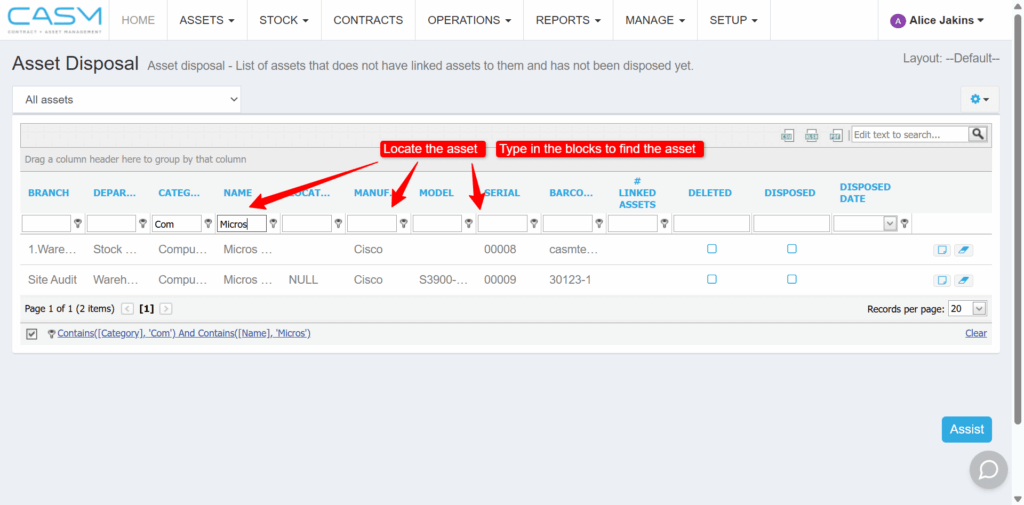
Locate the Asset: Find the asset you want to dispose of in the asset grid.
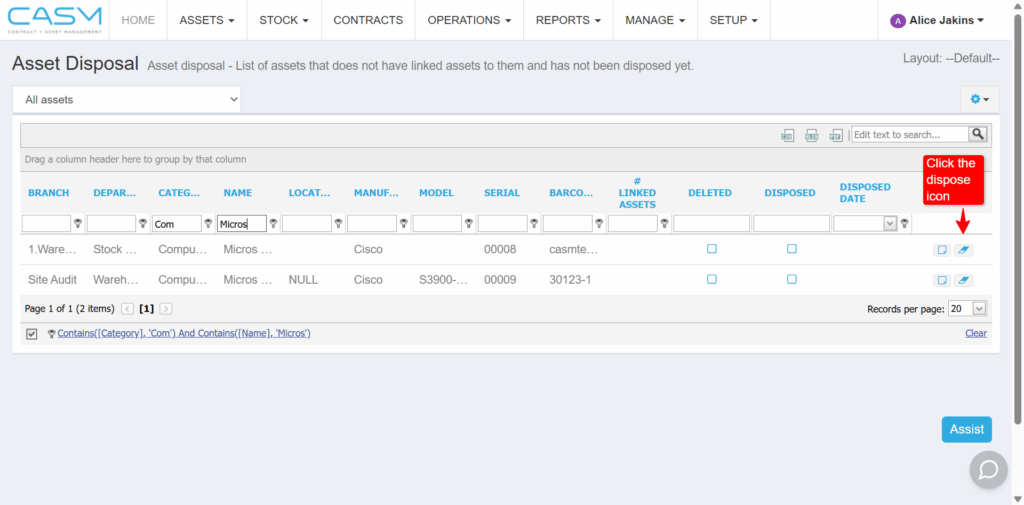
Initiate Disposal: Click on the [dispose icon] located on the far right of the asset’s row in the grid. This will open a popup window for disposing of the asset.
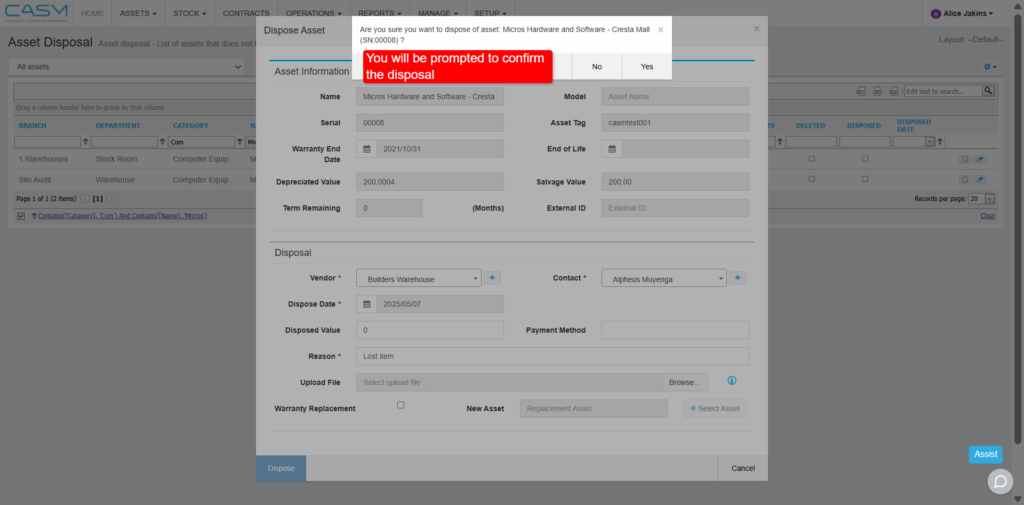
Complete Disposal Details: In the Dispose Asset popup window, fill out the required fields marked with an asterisk (*).
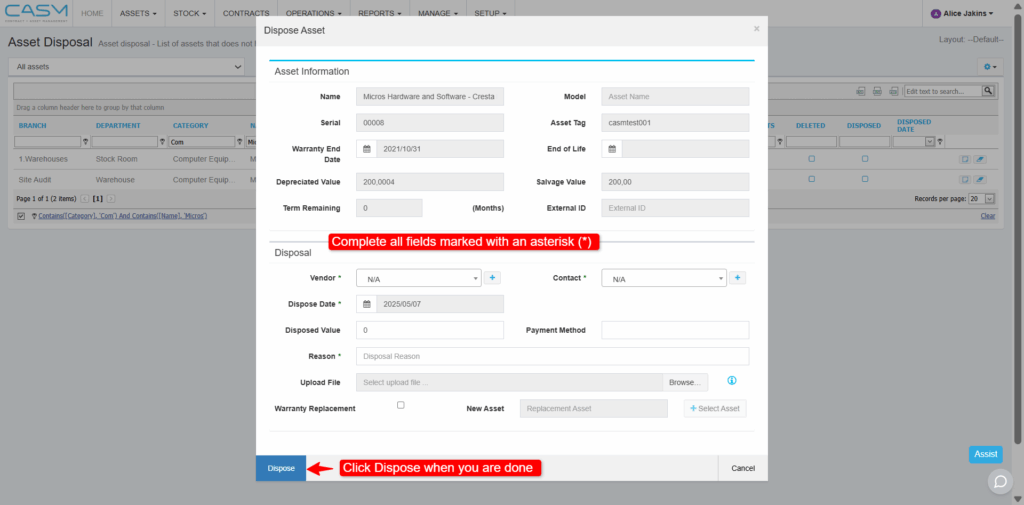
Confirm Disposal: Once you’ve completed all the necessary details, click the Dispose button (or similar wording) to finalise the disposal process.
By following these steps, you can efficiently dispose of assets within your organisation using CASM’s disposal module.